

Salesforce's password OAuth flow stops working on 20 February. Start with the inventory, not the code
Salesforce retires the OAuth 2.0 username-password flow for connected apps on 20 February 2027, and anything still using it will stop authenticating. The code change is the easy part. Finding every caller, and its owner, is the real work.
This week's Salesforce news round-ups put a date back in front of a lot of integration teams: Salesforce will retire the OAuth 2.0 username-password flow on 20 February 2027. Admins and developers who still rely on it need to move to a supported OAuth flow before then.
I spend most of my working life connecting other systems to Salesforce, so this one is personal. It is not a glamorous change, and nobody will put it on a keynote slide. But on the morning after enforcement, every integration that still sends a username, password and security token to the token endpoint will simply fail to log in. Orders will not sync, cases will not arrive, and the first person to notice will probably be a customer.
What is actually changing
The username-password flow is the oldest shortcut in the Salesforce integration book. The client application sends a user's Salesforce username and password, plus a security token if needed, straight to the OAuth token endpoint and gets an access token back. Salesforce's own migration article explains why it is going: storing and transmitting user credentials inside the client creates security risk, and the flow bypasses modern protections such as MFA.
According to Ostrelis, who wrote a careful summary of the release update, Salesforce originally planned enforcement with Winter '27 and now gives 20 February 2027 as the date. They also note a useful detail from Salesforce's guidance: if the release update does not appear in your org at all, the flow is already blocked and the change does not affect you.
That is more common than people think. Salesforce's release notes say that orgs created in Summer '23 or later have the flow blocked by default, unless someone switched on "Allow OAuth Username-Password Flows" in OAuth and OpenID Connect Settings. Sage People's help page adds that, since Summer '26, it has not been possible to set up new connected apps using this method. So the problem sits mostly in older orgs, and in older integrations.
Do not confuse it with SOAP login()
Ostrelis makes a point I would underline twice. There are now two separate retirements that people will both describe as "the username and password thing." One is this OAuth password grant against /services/oauth2/token. The other is the SOAP API login() call, whose remaining supported API versions Salesforce has separately scheduled for retirement with Summer '27.
The symptom is the same, an unattended job that can no longer authenticate, but the fix and the evidence are different. Do not mark an integration as safe because its owner says "it uses OAuth." Look at the actual handshake.
Pick the replacement from the use case
Salesforce's guidance is clear about the destinations:
- Server-to-server jobs should move to the client credentials flow. You configure a run-as user on the connected app, and the client swaps its app credentials for a token.
- Clients that use several usernames in one org cannot use client credentials. Salesforce's migration article recommends the JWT bearer flow for that case.
- Apps where a person logs in should use the web-server flow with PKCE, which adds a dynamically generated secret to each login request.
One caution from my own projects: client credentials is not automatically "more secure." Anyone holding the client secret can get a token as the run-as user. Ostrelis says the same thing. Treat the secret like a production password, store it in a proper vault, rotate it, and give the run-as user the minimum permissions it needs. This migration is also the cheapest moment you will ever get to drop a lazy full scope.
The inventory is the hard part
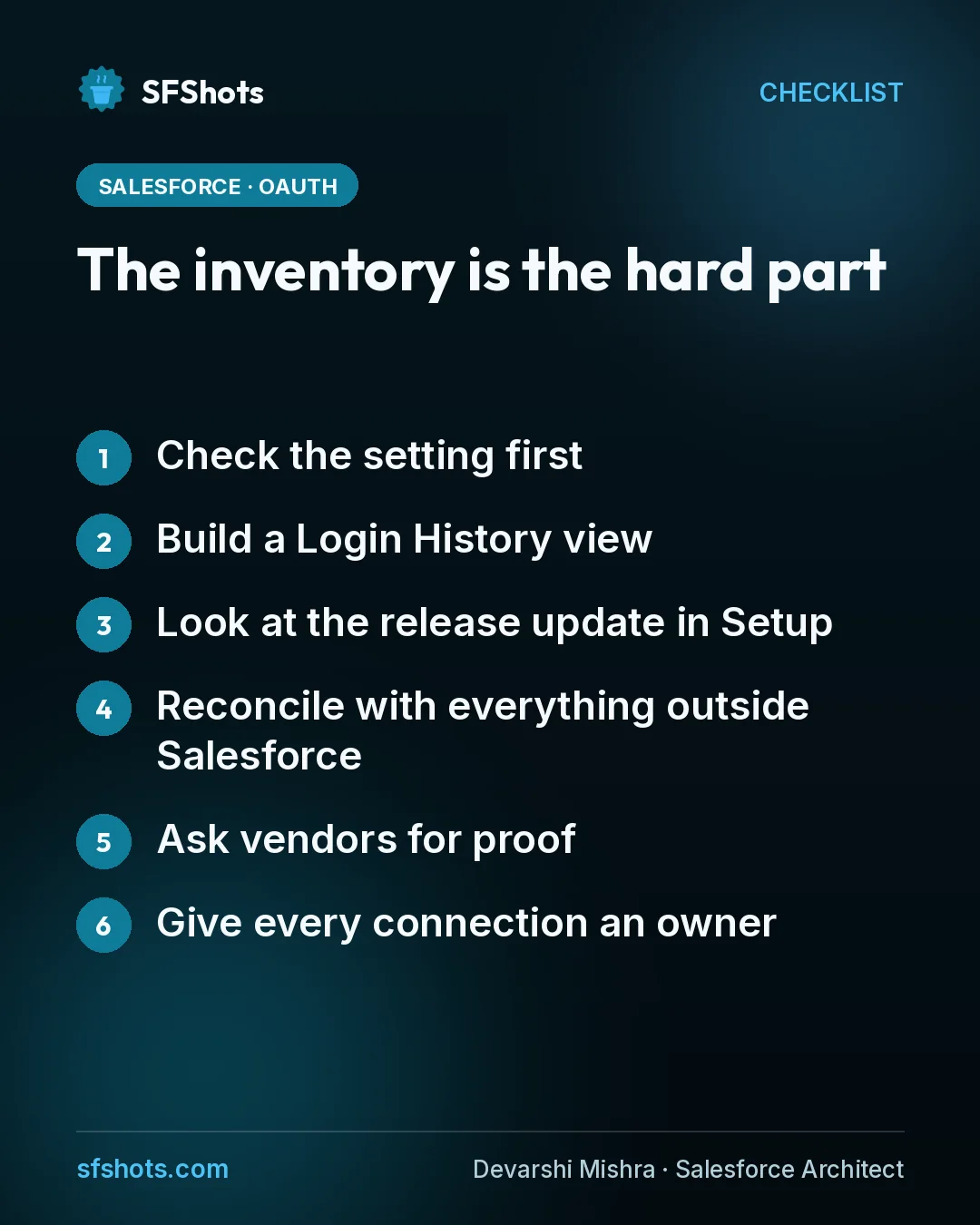
In my experience the code change takes an afternoon. Finding every caller takes weeks. Here is how I would run discovery:
- Check the setting first. In Setup, open OAuth and OpenID Connect Settings and see whether "Allow OAuth Username-Password Flows" is on. Sage People's guidance is blunt: if it is off, you are not affected.
- Build a Login History view. Filter on Login Subtype equals "OAuth Username-Password," as both Salesforce and Sage describe. Every row is a caller you need to explain.
- Look at the release update in Setup. Follow Salesforce's test steps, but treat the output as evidence, not a complete list.
- Reconcile with everything outside Salesforce. Middleware schedules, source repositories, secrets registers, vendor product lists. Ostrelis rightly warns that a month-end job or a recovery script may not show up in a short log sample.
- Ask vendors for proof. "We support Salesforce OAuth" is not an answer. Ask which flow their current version uses, and whether moving needs a new connected app, admin consent or downtime.
- Give every connection an owner. Purpose, environments, run-as user, frequency, last successful run, target flow, test status and cutover date. Keep "unknown" as a visible status rather than assuming something is dead.
Then test the whole lifecycle in a sandbox, not just a single token request: scheduled reruns, token expiry, secret rotation and recovery after revocation. When you are done, rerun the Login History view and confirm it stays empty.
The takeaway for CRM and RevOps teams
This is an integration deadline, but the risk lands on revenue and service operations. If your quote-to-cash sync, lead routing or support intake runs through an old service account, it may be on the list.
Ask your Salesforce platform owner one question this week: "Do we have a named owner and a target flow for every integration that logs in with a password?" If the answer is anything other than yes, start the inventory now. Four months sounds like plenty of time until you need three vendors to ship a fix in the same release window.
Sources
- SF Updates: This Week in Salesforce, Week 42, 2026
- Ostrelis: Salesforce OAuth username-password flow retirement, prepare for 20 February 2027
- Salesforce Help: Migrate from OAuth Username-Password to Client Credentials Flow
- Salesforce Help: OAuth 2.0 Username-Password Flow Blocked by Default in New Orgs
- Sage People Help: OAuth 2.0 username-password flow for connected apps