

Campaign Agent is GA in Marketing Cloud Winter '27. Decide what it can change on its own before it goes live
Salesforce's Winter '27 Marketing Cloud release makes Campaign Agent generally available. Once a campaign is live, the agent can raise budget, shift channels, suppress sends and expand audiences with lookalikes, so decide which of those moves need a human sign-off before you switch it on.
Salesforce published its Marketing Cloud Winter '27 round-up yesterday. It lists more than 60 releases, and the line I keep coming back to is short: "Campaign Agent is GA now."
I like what this agent is trying to do. But most of the conversations I have about it start with the content it writes, and I think that is the wrong place to start. The content gets reviewed before launch. The harder question is what the agent is allowed to change after launch, when nobody is looking at each decision.
What shipped on 22 October
The Winter '27 post splits Campaign Agent into two parts.
- Agentic Content turns campaign intent into personalised, on-brand, multilingual content across Email, SMS, RCS and MMS, grounded in your customer data and brand guidelines, "with approvals and brand compliance built in from the start."
- Agentic Campaigns replaces preset, hand-built journeys with goal-driven campaigns. In Salesforce's words, "Marketers set the outcome they want and let the agent orchestrate the rest."
The same release brings Personalized Paths in Flow, which routes each customer down the path most likely to convert against a metric you define, and Headless Marketing, which lets you run campaigns from ChatGPT, Gemini, Claude, Slack and other agents through the Headless 360 MCP Server. Both are listed as GA in October '26.
On licensing, the product page FAQ says limited Campaign Agent capabilities come with Marketing Cloud Next Advanced, and additional agentic campaigns and content generations cost extra.
Two phases, two kinds of control
Salesforce's launch post from September explains how the agent works, and it is the most useful thing I have read on it.
Phase 1 is "Coworking". A marketer prompts the agent with a goal, such as "Build a campaign to grow subscriptions." The agent produces a brief with a goal and KPI target, live dates, channels, budget, audience size with inclusion and exclusion criteria, and a first pass at content variants. Then it generates the assets. Salesforce says marketers iterate and approve "before anything goes live."
Phase 2 is "Decisioning". Once the campaign is live, the agent makes three kinds of move:
- Prioritisation: it decides which campaign reaches a customer and suppresses the ones that don't fit, for example holding back a seasonal campaign and a welcome journey in favour of a more relevant promo.
- Assembly: it picks the language, content variant, channel and send time for each person.
- Optimisation: it keeps adjusting the live campaign by "increasing budget, rebalancing channel weight, pausing an underperforming offer, shifting send time, or expanding audience with lookalikes."
Phase 1 has a clear human gate. Phase 2 is where the agent earns its keep, and it is also where the risk sits. Salesforce says marketers "approve adjustments along the way" and that the agent keeps "nudging the marketer to optimize." What I did not find in anything I read is a per-action list of which live changes wait for a human and which just happen. Until you have confirmed that in your own org, assume you have to write that list yourself.
Why the live phase is a CRM problem, not just a marketing one
Look at the optimisation list again with a RevOps hat on.
Increasing budget is a spend decision. Expanding the audience with lookalikes means the agent may contact people your team never chose. Suppressing a campaign means some other team's message, maybe a renewal or onboarding journey, doesn't go out to that person. The launch post is explicit that the agent is "arbitrating across all of them," not managing one campaign in isolation.
That cross-campaign view is exactly the value. Today every journey runs blind to the others, and customers get competing messages. But it also means one agent now sits above campaigns owned by different people. If those owners have never agreed on what takes priority, the agent will decide for them.
Then there is the data. Blueport makes a point I agree with: the agent sends to whatever your consent model says, so the consent model had better be right. The same goes for suppression lists and the fields your audience criteria use. An agent that builds its own audiences finds every gap in that data faster than a human ever did.
Blueport also notes that the Winter '27 release notes call this the Marketing Goals Agent, which is worth knowing when you search the docs.
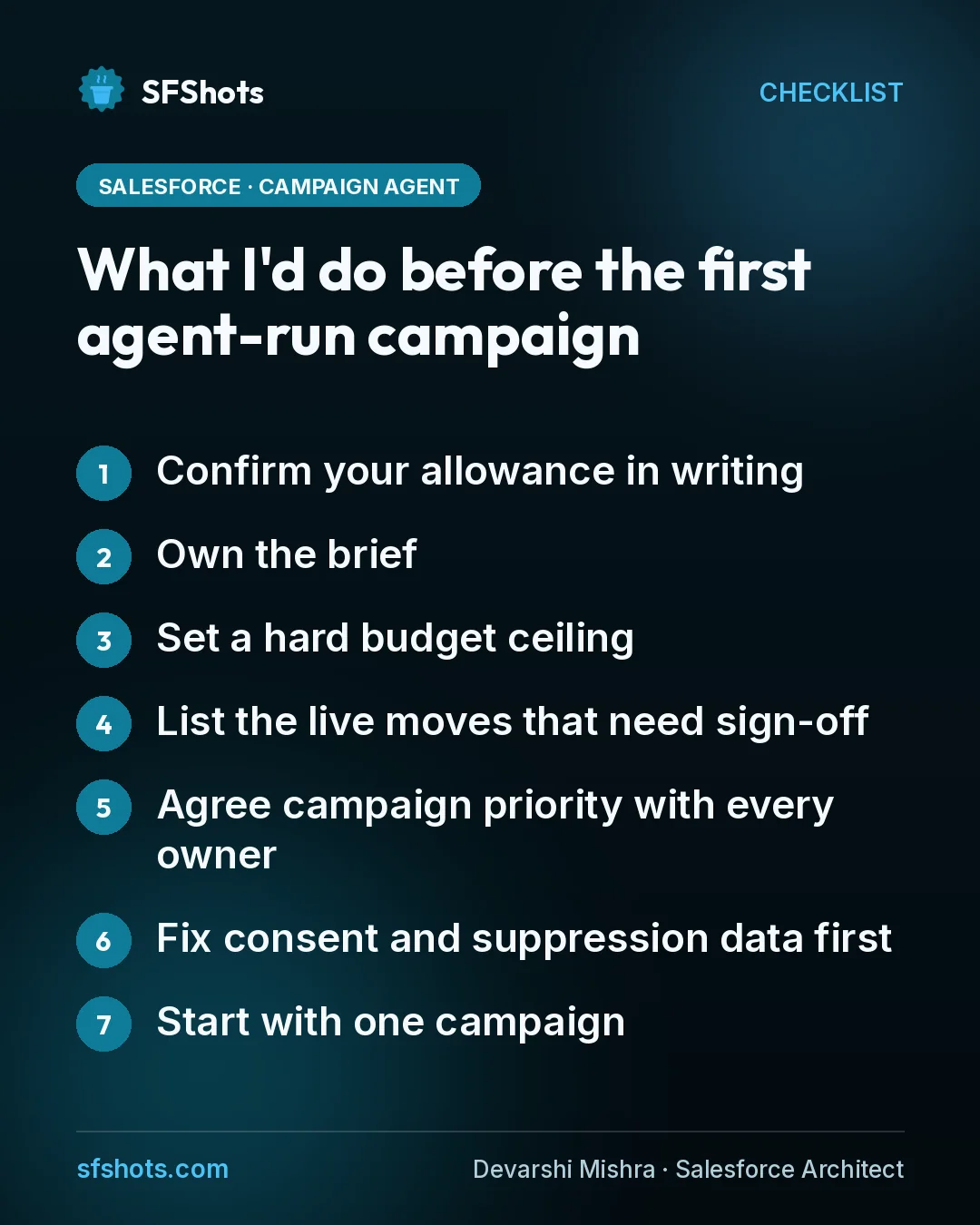
What I'd do before the first agent-run campaign
- Confirm your allowance in writing. Ask how many agentic campaigns and content generations your Advanced contract includes, and what the next ones cost.
- Own the brief. Review the goal, KPI target, dates, budget and audience criteria the agent drafts. That brief is the agent's contract.
- Set a hard budget ceiling. Decide the most the agent can spend per campaign, and who approves anything above it.
- List the live moves that need sign-off. At minimum: budget increases and lookalike audience expansion. Pausing an offer or shifting send time can probably run on its own.
- Agree campaign priority with every owner. Decide which journeys the agent may suppress and which it must never touch.
- Fix consent and suppression data first. Test that opted-out and excluded contacts really drop out of an agent-built audience.
- Start with one campaign. Pick one with a measurable outcome, keep a human approving each recommendation for the first cycle, and widen autonomy only after you have reviewed it.
The takeaway for CRM and RevOps teams
Campaign Agent moves the important decision from building journeys to setting rules. The content review is the easy part, and Salesforce has built it in. The live phase is where the agent spends money, picks audiences and decides which team's message wins. Write down what it may change alone, what needs a person, and who that person is, before it sends its first message. That list is cheaper to write now than after a quarter of surprises.
Sources
- Salesforce: Marketing Cloud Winter '27 Release: What You Need to Know (22 Oct 2026)
- Salesforce: Introducing The Campaign Agent That Turns Goals Into Growth (14 Sep 2026)
- Salesforce: Campaign Agent from Marketing Cloud (product page and FAQ)
- Blueport: Check what 'limited' means before you switch on the Campaign Agent (11 Oct 2026)