

Salesforce email login is now the default. Send your users to My Domain before November
Salesforce is making email the default prompt on login.salesforce.com and test.salesforce.com, with most production orgs switched by early November 2026. Passwords, MFA and API logins don't change, but shared mailboxes, UI tests and the people who still use the generic login page will feel it. Here's the short audit I'd run.
If you still open login.salesforce.com or test.salesforce.com to get into your orgs, the first box on that page is changing. It will ask for your email address, not your username. Salesforce Ben covered it yesterday, and the production rollout is already under way: it began on 5 October, and Salesforce expects most production orgs to have it by early November.
This is not a big change to how authentication works. It is a big change to what people see on a screen they have used for years. In my experience, that is exactly the kind of change that turns into a wave of help desk tickets and a few broken test pipelines, mostly for teams that never got around to standardising how people log in.
So my view is simple. Don't fight the new default. Use it as the reason to send everyone to your My Domain URL, and clean up the accounts that only work because nobody looks at them.
What is actually changing
Salesforce emailed admins on 11 September. On login.salesforce.com and test.salesforce.com, the page now asks for your email address first. Username login is not going away. There is a "Login with Username" option on the same page.
The rollout dates, as reported by Salesforce Ben and Vantage Point:
- Sandboxes: started in late August, expected to finish by 30 September 2026.
- Production: started 5 October 2026, with the majority done by early November.
- Mobile apps: Salesforce Ben says the Help article lists them as tentatively planned for late 2026.
What is not affected matters just as much:
- Custom My Domain login pages and Experience Cloud login pages stay as they are.
- Passwords, MFA and passkeys don't change. Registered passkeys work with both email and username login.
- Vantage Point notes that non-interactive logins, meaning API, OAuth and integration logins, are untouched.
That last point is the one I get asked about first, because I spend most of my time on integrations. Your connected apps and integration users that authenticate through OAuth won't see a login page, so they won't see this change either. What will break is anything that pretends to be a person and types into the login screen.
How email login behaves
The feature itself isn't new. Salesforce Ben wrote about "Log In with Email" in April 2025. If your email is linked to one Salesforce account, you go straight to the password prompt. If it is linked to several, Salesforce sends a verification code to that inbox and then shows the Environment Switcher, a list of the orgs tied to that email with their usernames and URLs.
That design explains the two problems I'd plan for.
First, the inbox. If the email on a user record goes to a shared mailbox, a distribution list, or a mailbox nobody reads, that person can't complete the verification step. Salesforce's own notice tells admins to check for shared or unmonitored accounts for this reason. In most orgs I've worked in, these are the old admin accounts, contractor users from finished projects, and service users someone set up "temporarily" years ago.
Second, the list. Not everyone likes the idea that an email address can bring up every environment linked to it. Salesforce Ben reports an IdeaExchange request titled "Do Not Make Email the Default Login Experience" at 760 points, and its author says a single email lookup in their org can surface 69 separate environments. Salesforce's answer at Dreamforce, as Salesforce Ben reports it, is that you also need access to the inbox to get the code, plus behind-the-scenes protection against bots. You can make up your own mind on the security debate. The practical point stands either way: your users' inboxes are now part of the login path for anyone who uses the generic page.
Why My Domain is the real fix
Both sources land in the same place, and I agree with them. If your people always log in through your My Domain URL, they won't feel this change at all. The Salesforce Ben piece also mentions the stricter route some admins take: using My Domain only and blocking logins through the standard pages.
I'd start with the data, not with an announcement. The Sage People guide shows how: in Setup, open Login History, create a view filtered on Login URL containing login.salesforce.com, download it, and look at the usernames. That tells you who still uses the generic page. In my experience it's usually a smaller group than you expect, and it's the group worth a direct message.
Then there are the UI tests. Any Selenium, Playwright or Cypress script that types a username into the first field on login.salesforce.com will hit an email prompt instead. Vantage Point points out it tends to fail with a timeout rather than a clear error, which makes it slow to diagnose. The fix from Salesforce's notice is to add ?login=1 to the login URL, for example https://login.salesforce.com/?login=1, so the script lands on the username screen.
What I'd do this week
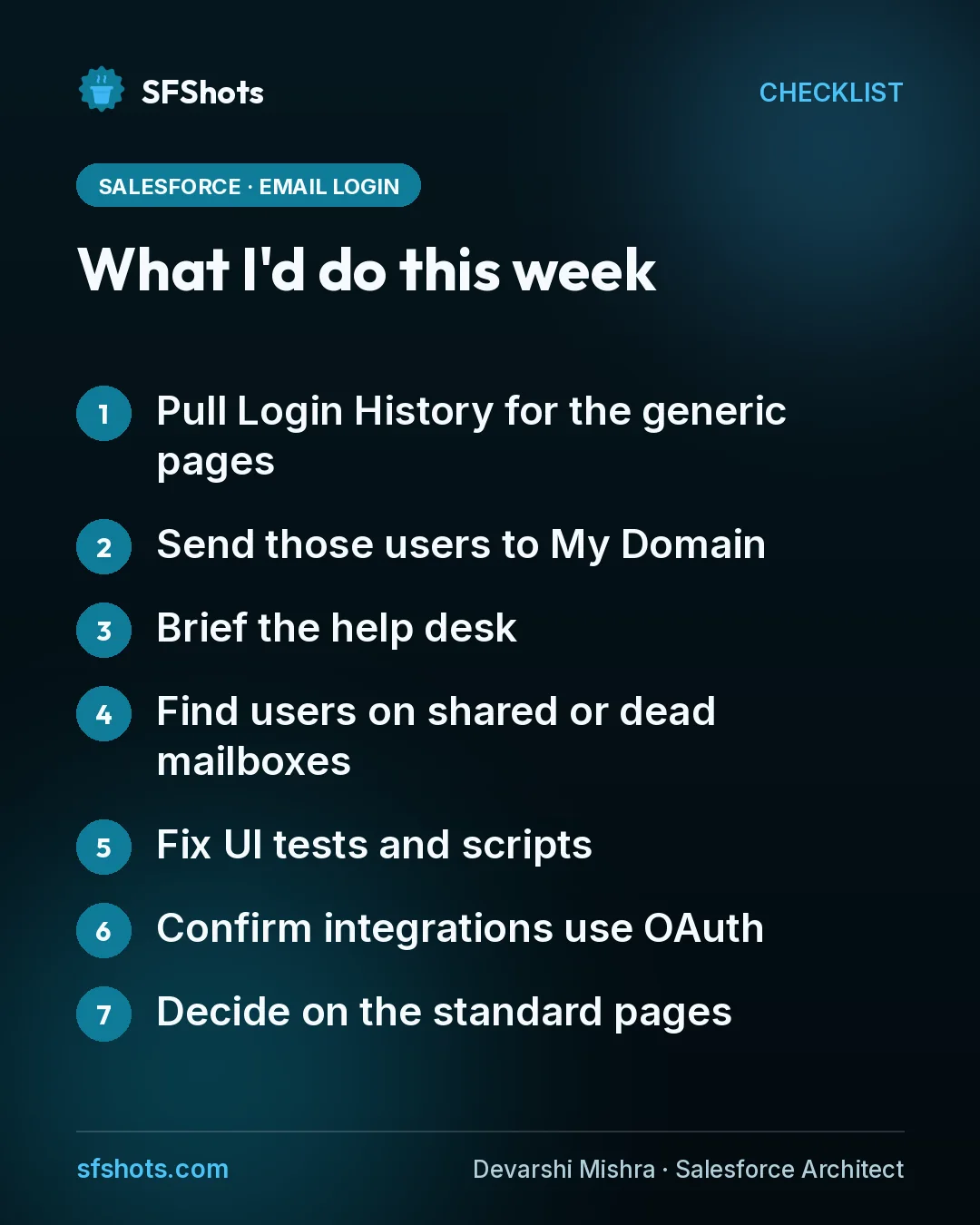
- Pull Login History for the generic pages. Filter on login.salesforce.com and test.salesforce.com and list who still uses them.
- Send those users to My Domain. Share the URL, ask them to bookmark it, and tell them "Login with Username" still works.
- Brief the help desk. Show them the new screen so the first tickets get an answer, not a password reset.
- Find users on shared or dead mailboxes. Give each one a monitored mailbox, keep it on username login, or deactivate it.
- Fix UI tests and scripts. Point them at ?login=1 and run the suite in a sandbox first.
- Confirm integrations use OAuth. Anything that logs in through the browser screen is the thing to fix.
- Decide on the standard pages. Agree whether your org should allow logins through login.salesforce.com at all.
The takeaway for CRM and RevOps teams
The email default is a small screen change with a long tail. It won't touch your passwords, MFA or OAuth integrations, but it will expose every user who still relies on the generic login page, every account tied to an inbox nobody reads, and every test that logs in like a person. Most orgs will be switched by early November. An hour with Login History now is cheaper than a Monday of locked-out users and red pipelines.
Sources
- Salesforce Ben: Salesforce Email Login Is the New Default: Convenience or Security Risk? (23 Oct 2026)
- Vantage Point: Salesforce Email Login Becomes the Default: Admin Checklist (updated 10 Oct 2026)
- Sage People Help: Prepare for email to become the default login experience
- Salesforce Ben: New Salesforce Login Option: Use Your Email Address Instead of Username (30 Apr 2025)