

Koa Decisions: write your categories and confidence bar before it routes in milliseconds
On 6 November Salesforce introduced Koa Decisions — the next version of HyperClassifier that picks a category, a yes/no or a score in milliseconds, with multimodal support and a planned path into Flows, Apex and prompt templates. Here's the taxonomy and confidence rules I'd write before agents and builders start routing on it.
On Friday, 6 November, Salesforce published "Less Reasoning. More Doing. Meet Koa Decisions." Darvish Shadravan, senior director of product management, introduced the next version of HyperClassifier — the decision model that already routes requests inside Agentforce. Koa Decisions reads a request and a list of categories you define, then returns a choice in a single step, in milliseconds. It adds multimodal support for images and audio, and Salesforce plans to extend it beyond routing into Flows, Apex, prompt templates and a developer API.
That's the news. The decision is which categories you hand it, what confidence is good enough to act, and what still needs a human or a larger model — before millisecond routing shows up in every builder surface.
What Salesforce actually announced
Here's what the Salesforce newsroom post says, in plain terms:
- What Koa Decisions is. The next version of HyperClassifier. It reads a request plus a list of categories you define, then makes a decision in one step: one option from the list, a yes or no, or a score — with a confidence score. Built with novel training techniques applied to Google's Gemma (open-weight), and it adds multimodal support for images and audio.
- What HyperClassifier already does. Inside Agentforce it routes each inquiry to the part of the agent built for that job. Example from Salesforce: a customer asks "Where's my package?" and the routing model sends the message to the shipping-and-delivery part of the agent. Other parts handle FAQs, current offers and escalations.
- Why decision models. Much of an agent's work is choosing — which team, which article, which next step — not writing essays. Salesforce says a general-purpose LLM can take more than a second here. Their measured routing figure for the decision model was roughly 26 milliseconds, versus about 1.4 seconds for a general-purpose LLM.
- How the answer is shaped. Often a single token. The model reads the whole request at once and answers in one step, so other software can act on it right away.
- Where it's going. Beyond Agentforce routing: into Flows, Apex and prompt templates, plus a developer API. It joins the Koa family, which also includes a separate reasoning model built with NVIDIA.
- You can try it now. Free Trailhead account, Koa Decisions demo. Add a category (Salesforce's example is "Returns"), change the input, and the model can pick it with no retraining.
- Caveats Salesforce flags. Pricing and packaging are subject to change. Availability may vary by region. Base purchasing decisions on what's currently available.
Salesforce also places the launch in a wider market moment: TypeSafe AI's Jev in mid-September, and OpenAI's Decisions API generally available about a month later. Decision models are a category now.
What changes for architects
Routing used to live in Flow decision elements, Omni-Channel, assignment rules or a custom classifier you trained yourself. Salesforce is blunt about that old path: define the outcome, label data, train, check accuracy, repeat — often months to production. A language-model-backed decision model lets a team add a category and, in their framing, sometimes reach production in hours.
Three shifts matter more than the demo's "Returns" button:
Your category list is the product. Koa Decisions picks from the list you give it. If "accounts," "engineering" and "sales" are the only buckets, every ambiguous login problem lands in one of those three. Bad categories become bad routing at millisecond speed.
Confidence is a gate, not a decoration. The demo shows a confidence score per option. That number only helps if you've decided what happens below the bar — re-ask, escalate, or hand off to a reasoning model. Without that rule, a low-confidence pick still fires the next step.
Builders will put this everywhere. The planned path into Flows, Apex, prompt templates and an API means routing won't stay inside Agentforce chat. Useful — and how silent misroutes multiply once every Flow can ask the model instead of hard-coding branches.
The decision: write the taxonomy and the confidence bar first
I'm not arguing against faster routing. Categories and the confidence threshold are architecture decisions, not model settings you leave at defaults.
Before I let teams wire Koa Decisions into production Flows or agent topics, I'd lock five things: a named owner for each taxonomy, a written category list with positive and negative examples, a minimum confidence before the next automation runs, an explicit fallback for low confidence or "none of these," and a short audit log so you can spot drift when someone adds "Returns" on a Friday. Multimodal inputs need the same rules — a blurry packing-slip photo is not automatically a returns case unless your policy says so.
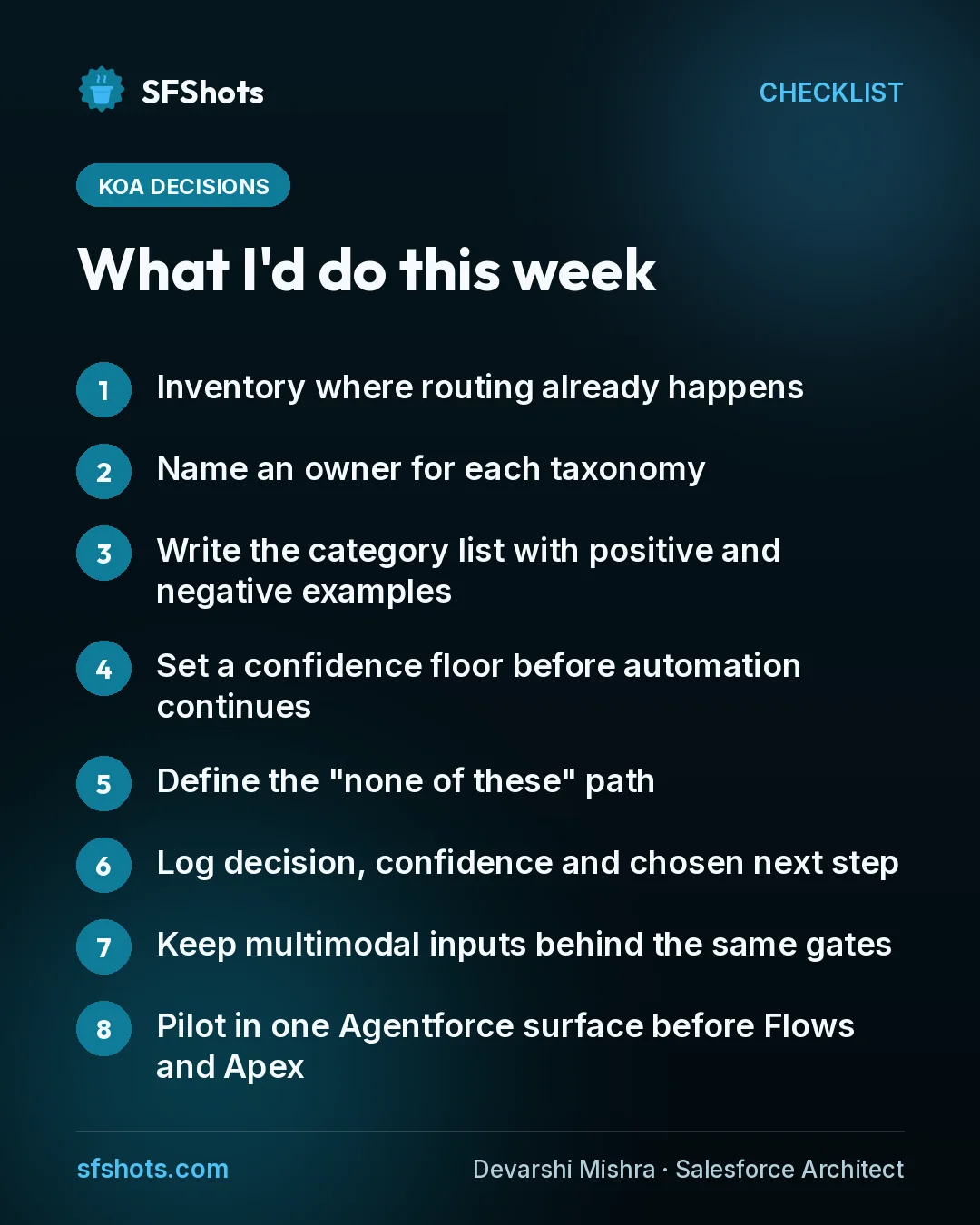
What I'd do this week
- Inventory where routing already happens. Agentforce topics, Omni-Channel, assignment rules, Flow decision elements that look like classifiers.
- Name an owner for each taxonomy. One person who can answer "why does this category exist?"
- Write the category list with positive and negative examples. Not just labels — what *doesn't* belong in each bucket.
- Set a confidence floor before automation continues. Below that: re-ask, escalate, or call a reasoning model — never silent proceed.
- Define the "none of these" path. Misclassification is cheaper when "other / escalate" is a first-class option.
- Log decision, confidence and chosen next step. So you can review a week's misroutes without guessing.
- Keep multimodal inputs behind the same gates. Image and audio don't skip the taxonomy or the confidence bar.
- Pilot in one Agentforce surface before Flows and Apex. Prove the categories, then widen. Revisit when packaging and pricing firm up.
The takeaway
For CRM and RevOps teams, Koa Decisions is Salesforce saying that many agent and workflow choices don't need a full LLM — they need a fast pick from *your* list. HyperClassifier already routes inside Agentforce; Koa Decisions is the next version, with multimodal support and a planned path into Flows, Apex, prompt templates and an API. Salesforce measured decision-model routing at roughly 26 milliseconds versus about 1.4 seconds for a general-purpose LLM. Speed is the feature. The risk is shipping that speed on a vague taxonomy and no confidence rule. Write the categories, the floor and the fallback before builders wire millisecond routing into every Flow. That's a short policy now — and a much louder support queue once the wrong team owns every ambiguous case.